Roundeo
A free, open-source macOS tool that rounds video corners for Keynote demos.
- Year
- 2026
- Role
- macOS Dev
- Stack
- SwiftUIAVFoundationmacOS
Concepts I've been exposed to
01
First macOS development
02
Open source
03
Different design logic
What is Roundeo?
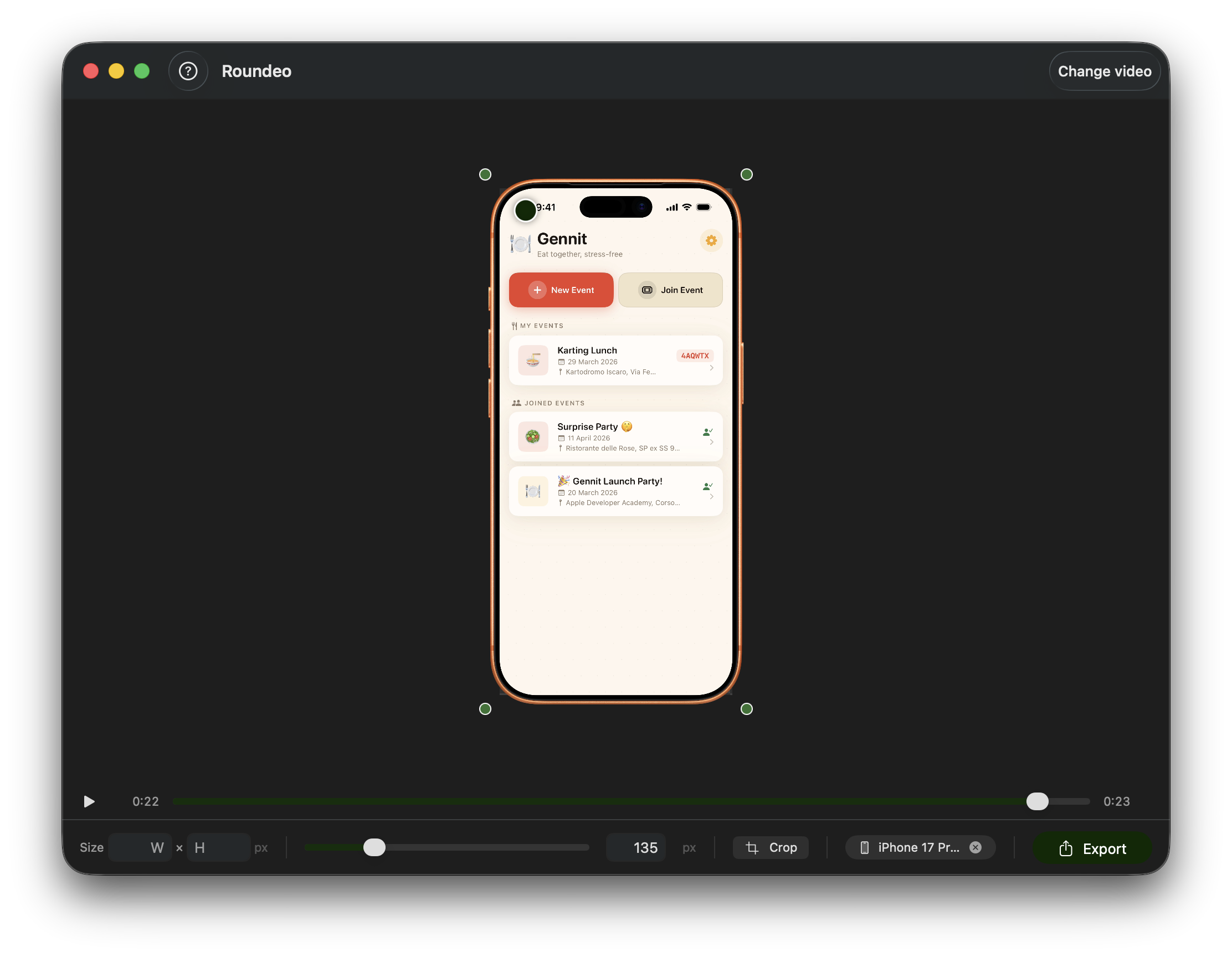
Roundeo is a simple app that I wanted to build to help people deal with a struggle that I had while designing my countless Keynote presentations: adding rounded corners to videos!
This simple and lightweight app has just two functions, but it performs them well:
- It rounds the corners of videos to fit perfectly within the edges of an overlay (which might depict a device frame);
- It allows adding a product bezel overlay.
This is very useful if you need to showcase a video of your app in a Keynote presentation and I really hope that it can be useful for people who go through this regularly!
What did I learn from this experience?
TLDR
After this experience I can say that I've been exposed to three development design logics: iOS, visionOS and macOS.
- Mobile fixed screens with gestures;
- Extended Reality, gaze and proxemics;
- Resizable windows with plenty of space, mouse and keyboard.
This is my first macOS project. After developing only apps for iOS and visionOS, I pushed myself into developing something for another device.
I was already exposed to a different way of thinking and developing when discovering visionOS development, so i was kinda prepared to do the mental switch for macOS. The logic is different.
- On iOS we only have one screen with navigations, if we want to show content we have to juggle between different views that appear and disappear, with limited space. So it's about navigation. And also, in iOS we have a different way of interaction from macOS: touch. We have a touch screen that allows to interact with the app with gestures, taps, long presses.
- With visionOS, the experience becomes even more different and complex. In that environment, interaction is guided by gaze, sight, and spatial gestures. No taps on a screen, no scrolling. The eyes observe, the hands confirm. Furthermore, the content requires an additional consideration: proxemics. In visionOS and XR, very delicate variables come into play, as one directly interacts with the user's visual cognition.
And with macOS? Another paradigm shift!
No Navigation Stack, no spatial gestures. There is only a window that is always there. The user interacts with mouse and keyboard and I have to account for clicks, not taps or pinches!
Everything the user needs is always on the screen, no limited space. And moreover the window is resizable so I don't have to deal with a fixed space that the iPhone offers. But at the same time, my interface has to be ready to handle resizing.
It's different and I do not presume to have already understood everything about the logic behind macOS development, but i needed this jump in the void!
Attitude in the project
For the first time I open-sourced a project that is not educational.
I wanted to make this simple app from a struggle I've been having during my years at the Apple Developer Academy and I wanted to help other students that could face the same problem! For that reason I've decided to go completely open-source. The app is free on the App Store, but the entire codebase is out there public on GitHub under MIT license, ready to be cloned, modified and improved by anyone.
This is my small contribution for builders, makers and small developers that want to create something meaningful and curate also its appearance, by helping them design aesthetically pleasant demo videos.